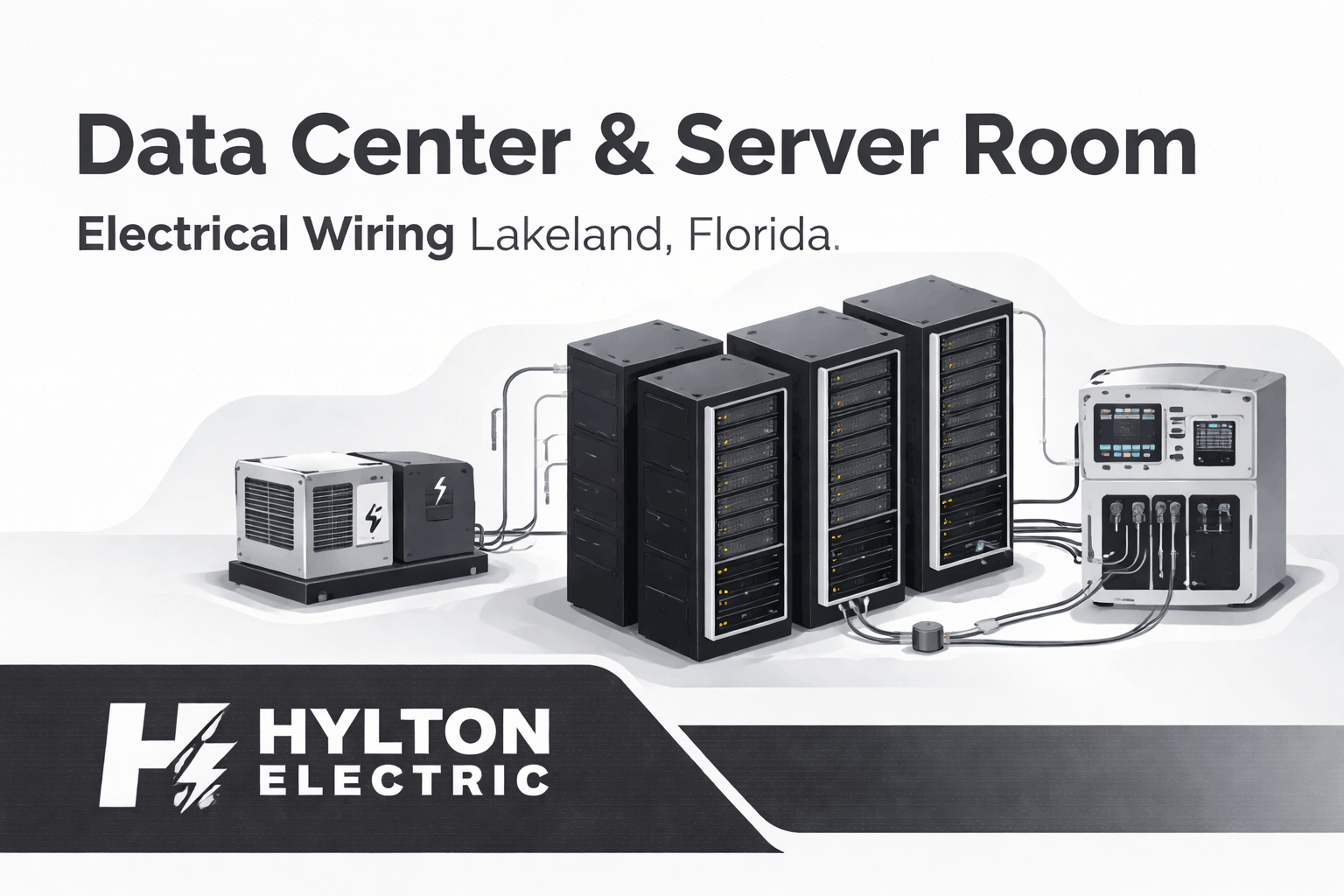
Modern businesses depend on reliable data. Whether you run a healthcare clinic, logistics company, or office network, your servers must stay online at all times. Even a short power issue can lead to downtime, lost revenue, or damaged equipment.
That’s why data center and server room electrical wiring is very different from standard commercial wiring. It must handle continuous loads, support backup systems, and reduce the risk of failure. In a place like Lakeland, where storms and power disruptions can occur, the need for a stable electrical setup becomes even more important.
A well-designed system does more than supply power. It protects sensitive equipment, supports future growth, and keeps operations running without interruption. This guide explains how these systems work and what businesses in Lakeland should know before installing or upgrading their infrastructure.
What Makes Data Center Electrical Wiring Different?
Data center wiring is not built like typical office or retail electrical systems. It is designed for constant operation, higher loads, and strict reliability standards.
In a standard building, occasional outages may be inconvenient. In a server room, even a few seconds of downtime can cause serious problems. Because of this, every part of the electrical system must be planned with care.
Key Differences from Regular Electrical Systems
Several factors set data center wiring apart:
-
Systems run 24/7 without interruption
-
Equipment is highly sensitive to voltage changes
-
Power demand is much higher than in normal offices
-
Redundant systems are often required
-
Cooling systems add to the electrical load
In simple terms, this type of wiring must be stronger, smarter, and more reliable.
Why Proper Wiring Matters
Good electrical design is not just about performance. It directly affects business continuity.
Here’s why it matters:
-
Prevents downtime: Even short outages can cost thousands
-
Protects equipment: Servers and network devices are expensive
-
Improves safety: Reduces risk of overheating and fire
-
Supports growth: Makes it easier to expand your system later
Without proper wiring, small issues can quickly turn into major failures.
Core Components of a Data Center Electrical System
A data center electrical system includes several parts that work together. Each one plays a specific role in keeping power stable and reliable. Understanding these components helps you make better decisions when planning or upgrading your system.
Utility Power Supply
This is your main power source from the grid. It provides the electricity needed for daily operations. However, grid power is not always stable. Storms and infrastructure issues can cause outages. That’s why backup systems are essential.
Uninterruptible Power Supply (UPS) Systems
A UPS provides instant backup power when the main supply fails. It keeps systems running long enough for generators to start or for a safe shutdown.
Key benefits include:
-
Protection from sudden outages
-
Voltage regulation
-
Prevention of data loss
Backup Generators
Generators provide long-term backup power during extended outages. They usually run on diesel or natural gas. In areas like Lakeland, generators are critical due to weather-related power issues.
Automatic Transfer Switches (ATS)
An ATS automatically switches power from the utility to the generator when an outage occurs. This process happens within seconds, ensuring minimal disruption.
Switchgear and Distribution Panels
These systems control how electricity flows through your facility.
They:
-
Distribute power safely
-
Protect against overloads
-
Allow maintenance without shutting down everything
Power Distribution Units (PDUs)
PDUs deliver power directly to server racks. They help manage load distribution and improve efficiency.
Cabling Infrastructure
Proper cabling ensures safe and organized power delivery.
Best practices include:
-
Keeping power and data cables separate
-
Using structured cable pathways
-
Labeling all connections clearly
Good cabling improves airflow, reduces risk, and makes maintenance easier.
Understanding Data Center Power Redundancy (Critical for Wiring Design)
Power redundancy is one of the most important parts of a data center electrical system. It ensures your systems keep running even if one component fails.
In simple terms, redundancy means having backup systems in place. If one power path goes down, another takes over right away. This prevents downtime and keeps your business operating without interruption.
For businesses in Lakeland, this is especially important. Storms and grid issues can cause unexpected outages. A redundant system reduces that risk.
What is Redundancy in Electrical Systems?
Redundancy means duplicating key components so there is no single point of failure. Instead of relying on one power source, the system uses multiple paths. If one fails, the other continues to supply power.
Common elements that are often duplicated include:
-
UPS systems
-
Generators
-
Power distribution paths
-
Cooling systems
This approach keeps systems stable even during failures or maintenance.
Common Redundancy Models
Different setups offer different levels of protection. The most common models include:
-
N (Basic Capacity): Only enough equipment to handle the current load. No backup.
-
N+1 (Recommended Standard): One extra component is added for backup. If one fails, the system still runs.
-
2N (Full Redundancy): Two completely independent systems. One can fully replace the other.
-
2N+1 (Maximum Reliability): Two full systems plus an additional backup component.
Each level increases reliability, but also costs. Most businesses choose N+1 for a balance between safety and budget.
Why Lakeland Businesses Need Redundancy
Local conditions make redundancy even more important.
Here’s why:
-
Frequent storms: Power outages can happen without warning
-
Business continuity needs: Healthcare and finance cannot afford downtime
-
Equipment protection: Prevents damage from sudden power loss
-
Customer trust: Reliable systems improve service delivery
Without redundancy, a single failure can shut down your entire operation.
Data Center Tier Standards Explained (Uptime Institute)
Data center tiers are used to measure reliability and performance. These standards help businesses understand how resilient their systems are.
Each tier defines the level of redundancy and uptime you can expect.
Tier I – Basic Setup
This is the simplest level.
-
No redundancy
-
Single power path
-
Expected uptime: about 99.67%
It works for small businesses with minimal risk, but it is not ideal for critical operations.
Tier II – Redundant Components
This level adds some backup components.
-
Includes N+1 redundancy
-
Better protection than Tier I
-
Expected uptime: about 99.75%
It suits small to medium businesses that need more reliability.
Tier III – Concurrently Maintainable
Tier III is a common choice for professional environments.
-
Systems can be maintained without shutdown
-
N+1 redundancy across critical components
-
Expected uptime: about 99.98%
This level is often used in healthcare, finance, and enterprise environments.
Tier IV – Fault Tolerant
This is the highest level of reliability.
-
Fully redundant (2N systems)
-
No single point of failure
-
Expected uptime: about 99.995%
It is designed for mission-critical operations where downtime is not acceptable.
Which Tier is Right for Your Business?
The right tier depends on your needs and budget.
-
Small office → Tier I or II
-
Growing business → Tier II or III
-
Critical operations → Tier III or IV
Choosing the right level helps balance cost and reliability.
Electrical Load Calculation for Server Rooms
Before installing any wiring, you must calculate how much power your system will need. This step is essential for safety, efficiency, and future growth. If the system is undersized, it can lead to overloads and failures. If it is oversized, you may waste money on unnecessary equipment.
What is IT Load?
IT load refers to the power used by:
-
Servers
-
Storage devices
-
Networking equipment
This is the base load your system must support at all times.
Understanding PUE (Power Usage Effectiveness)
PUE measures how efficiently a data center uses energy.
It compares total facility power to the power used by IT equipment.
-
Lower PUE = better efficiency
-
Higher PUE = more energy wasted
For example, cooling systems and lighting increase total power use. That’s why electrical planning must include more than just servers.
Planning for Future Growth
Your system should not only meet current needs. It should also allow for expansion.
A common approach is to:
-
Add 20–25% extra capacity
-
Leave room in panels and circuits
-
Plan for additional racks or equipment
This prevents costly upgrades later.
Common Mistakes in Load Calculation
Many problems start with poor planning.
Avoid these common issues:
-
Undersized circuits: Leads to overloads
-
Ignoring cooling load: HVAC systems require significant power
-
No redundancy planning: Creates single points of failure
-
Lack of documentation: Makes future upgrades difficult
Accurate load calculation ensures your system remains stable and scalable.
Best Practices for Data Center Electrical Wiring
A well-designed system is not just about power supply. It is also about how safely and efficiently that power is delivered. Following proven wiring practices helps reduce risks and improve long-term performance.
These practices also make maintenance easier and support future upgrades.
Separate Power and Data Cabling
Power and data cables should never run together.
When they are too close, electrical interference can affect network performance. This can lead to slower speeds or unstable connections.
To avoid this:
-
Use separate cable trays
-
Maintain proper spacing
-
Cross cables at right angles when needed
This simple step improves both safety and performance.
Use Dedicated Circuits
Each critical system should have its own circuit.
Shared circuits can easily become overloaded, especially in server rooms where power demand is high.
Dedicated circuits help:
-
Prevent overloads
-
Improve reliability
-
Simplify troubleshooting
They also allow better control over power distribution.
Proper Grounding and Bonding
Grounding is essential for safety. It protects both equipment and people from electrical faults.
A proper grounding system:
-
Reduces the risk of electric shock
-
Protects against voltage spikes
-
Improves system stability
Bonding ensures all metal parts are connected, which further reduces risk.
Cable Management Systems
Messy cables are more than just a visual issue. They can block airflow and make maintenance difficult.
Good cable management includes:
-
Organized trays and racks
-
Clear routing paths
-
Avoiding tangled or loose wires
This improves cooling and makes future work easier.
Labeling and Documentation
Every cable and circuit should be clearly labeled.
Without proper labeling, troubleshooting becomes slow and risky.
Best practices include:
-
Label both ends of each cable
-
Maintain updated wiring diagrams
-
Keep records of changes
Clear documentation saves time and reduces errors.
High-Quality Materials
The quality of materials directly affects performance and safety.
Using better materials may cost more upfront, but it reduces long-term risks.
Common choices include:
-
Copper wiring for बेहतर conductivity
-
Durable insulation for safety
-
High-rated components for heavy loads
Reliable materials ensure consistent performance over time.
Cooling and Electrical Integration
Electrical systems and cooling systems must work together. You cannot design one without considering the other. Servers generate a large amount of heat. If that heat is not managed properly, it can damage equipment and increase power consumption.
Why Cooling Impacts Electrical Design
Cooling systems require significant power. In many cases, they consume almost as much energy as the servers themselves.
This means:
-
Electrical systems must support both the IT load and the cooling load
-
Poor planning can lead to overloads
-
Efficiency depends on a balanced design
Ignoring cooling needs often leads to system failure.
Powering Cooling Systems
Common cooling equipment includes:
-
CRAC (Computer Room Air Conditioning) units
-
Chillers
-
Air handlers and fans
Each of these systems requires dedicated electrical support.
Proper planning ensures:
-
Stable operation
-
Balanced load distribution
-
Reduced energy waste
Redundant Cooling Systems
Just like power systems, cooling systems should also have backups. If cooling fails, temperatures can rise quickly. This can shut down servers or cause permanent damage.
Redundant cooling helps:
-
Maintain safe temperatures
-
Prevent overheating during failures
-
Support continuous operation
In critical environments, cooling is just as important as power.
Compliance and Electrical Codes in Florida
Electrical work in data centers must follow strict codes and standards. These rules are in place to ensure safety, reliability, and proper installation. In Lakeland, following these codes is not optional. It is required for legal and operational reasons.
NEC (National Electrical Code) Requirements
The National Electrical Code sets the foundation for all electrical installations in the United States.
It covers:
-
Wiring methods
-
Circuit protection
-
Grounding requirements
-
Equipment installation
Following NEC guidelines ensures your system is safe and compliant.
Florida-Specific Considerations
Florida has unique environmental challenges.
Electrical systems must be designed to handle:
-
Severe storms and hurricanes
-
High humidity levels
-
Increased risk of power surges
This often means adding:
-
Surge protection devices
-
Elevated equipment placement
-
Weather-resistant materials
Planning for local conditions improves system durability.
OSHA Safety Standards
The Occupational Safety and Health Administration sets rules to protect workers during installation and maintenance.
These standards focus on:
-
Safe working conditions
-
Proper equipment handling
-
Risk prevention
Following OSHA guidelines helps prevent accidents and ensures a safe work environment.
Common Problems in Server Room Electrical Systems
Even well-designed systems can develop issues over time. However, most problems come from poor planning or a lack of maintenance. Understanding these common issues helps you prevent costly downtime and equipment damage.
Overloaded Circuits
This is one of the most frequent problems. When too many devices share a circuit, it can lead to overheating or breaker trips. In server rooms, where equipment runs constantly, this risk is even higher.
Signs of overloaded circuits include:
-
Frequent breaker trips
-
Warm cables or panels
-
Unstable equipment performance
Using dedicated circuits and proper load planning helps avoid this issue.
Poor Cable Management
Disorganized cables can cause several problems. They block airflow, trap heat, and make maintenance difficult. Over time, this can affect both cooling and system performance.
Common issues include:
-
Tangled wiring
-
Blocked ventilation paths
-
Difficulty identifying connections
Clean and structured cabling improves efficiency and safety.
Lack of Redundancy
Without backup systems, a single failure can shut everything down. This is especially risky for businesses that rely on continuous operations.
Problems caused by a lack of redundancy:
-
Unexpected downtime
-
Data loss
-
Business interruptions
Adding backup power and duplicate systems reduces this risk.
Inadequate Backup Power
Some systems have backup power, but it is not enough.
For example:
-
Generators that are too small
-
UPS systems with limited runtime
-
Poor maintenance of backup equipment
This can lead to failure during extended outages. Regular testing and proper sizing are essential.
Voltage Fluctuations
Unstable voltage can damage sensitive equipment. Servers and networking devices require consistent power. Sudden spikes or drops can reduce lifespan or cause immediate failure.
Protection methods include:
-
UPS systems
-
Surge protection devices
-
Voltage regulation equipment
Stable power is key to long-term reliability.
Designing a New Data Center vs Upgrading an Existing One
Businesses often face a choice: build a new system or upgrade what they already have. Each option has its own challenges and benefits.
New Installation
Building a new system allows full control over design.
You can plan everything from the start, including:
-
Power capacity
-
Redundancy levels
-
Cooling integration
-
Future expansion
This approach offers better efficiency and scalability. However, it usually requires a higher upfront investment.
Retrofitting Existing Server Rooms
Upgrading an existing system can be more complex. Older setups may not support modern power demands. Space limitations can also make upgrades difficult.
Common challenges include:
-
Limited room for new equipment
-
Outdated wiring systems
-
Interruptions during upgrades
Despite these challenges, retrofitting can still improve performance if done correctly.
Cost Considerations
Cost depends on several factors.
These include:
-
Size of the facility
-
Level of redundancy
-
Equipment quality
-
Labor and installation complexity
While upgrades may seem cheaper, they can become costly if the system needs frequent fixes later. Investing in proper design often saves money over time.
Choosing the Right Electrical Contractor in Lakeland, Florida
Not every electrician has experience with data centers. These systems require specialized knowledge and careful planning. Choosing the right contractor is critical for long-term success.
What to Look For
When selecting a contractor in Lakeland, consider the following:
-
Experience with data centers and server rooms
-
Knowledge of redundancy systems
-
Familiarity with backup power solutions
-
Proper licensing and insurance
A qualified contractor understands both design and execution.
Questions to Ask
Before hiring, ask clear questions to evaluate their expertise:
-
Have you worked on mission-critical systems?
-
Can you design N+1 or 2N redundancy setups?
-
Do you install and maintain UPS and generators?
-
How do you plan for future expansion?
Their answers will help you judge their capability.
Why Experience Matters
Inexperienced work can lead to serious problems.
These include:
-
System failures
-
Safety risks
-
Higher maintenance costs
An experienced contractor ensures your system is reliable, safe, and built to last.
Why Businesses in Lakeland Need Professional Data Center Wiring
Reliable electrical systems are essential for many industries. In a growing business hub like Lakeland, the demand for stable server environments continues to increase.
Local Industries That Depend on Server Rooms
Several industries rely heavily on data and uptime:
-
Healthcare facilities
-
Financial services
-
Logistics and distribution companies
-
Retail and e-commerce businesses
For these sectors, even a short outage can cause major disruptions.
Risks of DIY or Inexperienced Installations
Trying to cut costs with poor installation can backfire.
Common risks include:
-
Frequent downtime
-
Equipment damage
-
Fire hazards
-
Code violations
These issues often cost more to fix than doing it right the first time.
Long-Term Benefits of Professional Installation
Working with experts provides clear advantages:
-
Reliable and stable power systems
-
Better safety and compliance
-
Easier maintenance and upgrades
-
Improved business continuity
A professionally designed system supports growth and reduces risk.
Cost of Data Center Electrical Wiring in Lakeland
The cost of data center and server room wiring can vary widely. It depends on the size of the system, the level of reliability required, and the equipment used. For businesses in Lakeland, investing in a well-designed system is not just an expense. It is a way to avoid costly downtime and future repairs.
Factors That Affect Cost
Several elements influence the total cost of installation:
-
Size of the facility: Larger spaces require more wiring and equipment
-
Power capacity: Higher loads need stronger infrastructure
-
Redundancy level: N+1 or 2N systems increase cost but improve reliability
-
Type of equipment: UPS systems, generators, and PDUs add to the budget
-
Labor and complexity: Custom designs require more time and expertise
Each project is different, so costs can vary based on specific needs.
Typical Cost Ranges (General)
While exact pricing depends on the project, here’s a general idea:
-
Small server room setup → lower cost, basic redundancy
-
Mid-size business system → moderate cost with backup systems
-
Large data center → high investment with full redundancy
It’s important to focus on value rather than just upfront cost.
Return on Investment (ROI)
A properly designed electrical system can save money over time.
Key benefits include:
-
Reduced downtime costs
-
Longer equipment lifespan
-
Lower maintenance expenses
-
Improved energy efficiency
In most cases, the cost of a single major outage can exceed the cost of proper installation.
Future Trends in Data Center Electrical Systems
Technology continues to evolve, and so do data center electrical systems. Businesses are now looking for smarter and more efficient solutions. Staying updated with these trends helps you build a system that lasts.
Energy-Efficient Designs
Efficiency is becoming a top priority.
Modern systems focus on:
-
Reducing energy waste
-
Improving power distribution
-
Lowering operating costs
Efficient designs also support sustainability goals.
Modular Data Centers
Modular systems allow businesses to scale easily.
Instead of building everything at once, you can:
-
Add capacity as needed
-
Reduce initial investment
-
Upgrade without major disruption
This approach works well for growing businesses.
Renewable Energy Integration
Some facilities are now using renewable energy sources.
These include:
-
Solar power systems
-
Battery storage solutions
This reduces dependence on the grid and improves resilience.
Smart Monitoring Systems
Advanced monitoring tools provide real-time data.
They help track:
-
Power usage
-
Equipment performance
-
Potential issues
This allows quick action before problems become serious.
Maintenance and Inspection Checklist
Even the best system needs regular maintenance. Without it, small issues can turn into major failures. Routine inspections help keep everything running smoothly.
Regular Electrical Inspections
Periodic checks ensure all components are working properly.
Inspections should cover:
-
Wiring condition
-
Circuit loads
-
Panel performance
Early detection prevents unexpected failures.
Testing Backup Systems
Backup systems must be tested regularly.
This includes:
-
UPS systems
-
Generators
-
Transfer switches
Testing ensures they work when needed most.
Thermal Scanning
Thermal imaging helps detect overheating components.
It can identify:
-
Loose connections
-
Overloaded circuits
-
Failing equipment
Fixing these issues early improves safety.
Documentation Updates
Keeping records up to date is essential.
Make sure to:
-
Update wiring diagrams
-
Record system changes
-
Maintain service logs
Accurate documentation simplifies future work.
Conclusion: Build a Reliable, Scalable Electrical System
A strong electrical system is the backbone of any data center or server room. It supports daily operations, protects valuable equipment, and ensures business continuity. In Lakeland, where power disruptions can occur, having a reliable and well-planned system is even more important.
By focusing on proper wiring, redundancy, and regular maintenance, businesses can reduce risks and improve performance. While the initial investment may seem high, the long-term benefits make it worthwhile.
If you are planning a new installation or upgrading an existing system, working with experienced professionals ensures the job is done right. A well-designed system today will support your business for years to come.
Let’s Get Your Server Room Power Done Right
Need help with your data center or server room setup? We’re here to make it simple. Whether you’re upgrading or starting fresh, Hylton Electric can help you build a safe, reliable system that keeps your business running.
- Call: +1 863-624-7000
- Email: ray@hylton-electric.com
Reach out anytime—we’re happy to talk it through.
FAQs – Data Center Electrical Wiring in Lakeland, FL
How much power does a typical server room require?
The power requirement depends on how many servers, storage devices, and networking components you run. A small setup may use only a few kilowatts, while larger environments can demand much more.
To estimate accurately, you need to consider:
-
Current IT equipment load
-
Cooling system requirements
-
Future expansion plans
Without proper calculation, systems can become overloaded or inefficient. That’s why a detailed load assessment is always the first step in designing a reliable server room.
Do I need both a UPS and a backup generator?
Yes, both serve different but equally important roles in keeping your systems running.
-
A UPS provides immediate, short-term power
-
A generator supplies long-term backup during outages
When power fails, the UPS keeps everything running instantly. At the same time, the generator starts up and takes over. This combination ensures continuous operation without interruptions or data loss.
What is redundancy in a data center electrical system?
Redundancy means having backup systems in place so your operations continue even if one component fails.
This often includes:
-
Extra UPS units
-
Backup generators
-
Dual power distribution paths
Instead of relying on a single system, redundancy creates multiple layers of protection. This is essential for businesses where downtime is not an option.
What is the difference between N, N+1, and 2N redundancy?
These terms describe how much backup capacity your system has.
-
N: Only the required capacity, no backup
-
N+1: One extra component for protection
-
2N: Fully duplicated systems
N+1 is common because it balances cost and reliability. 2N offers maximum protection but requires a larger investment. The right choice depends on how critical your operations are.
How often should server room electrical systems be inspected?
Regular inspections help identify issues before they cause failures.
A typical maintenance plan includes:
-
Monthly visual checks
-
Quarterly testing of backup systems
-
Annual detailed inspections
Frequent monitoring ensures your system remains safe, efficient, and reliable. Skipping maintenance can lead to unexpected downtime and costly repairs.
Can I upgrade an existing server room electrical system?
Yes, but upgrades depend on the condition of your current infrastructure.
Common upgrades include:
-
Adding new circuits for increased capacity
-
Installing modern UPS systems
-
Improving cable organization
However, older systems may not support modern demands without major changes. A professional evaluation helps determine whether upgrades or a full redesign is the better option.
Why is proper grounding important in server rooms?
Grounding is a critical safety feature in any electrical system.
It helps to:
-
Protect equipment from voltage spikes
-
Prevent electric shock hazards
-
Improve system stability
Without proper grounding, even small electrical issues can damage sensitive equipment or create safety risks. It is a basic requirement for any reliable server room setup.
What are Power Distribution Units (PDUs)?
PDUs distribute electricity from your main system to individual server racks.
They play an important role by:
-
Balancing electrical loads
-
Providing organized power distribution
-
Allowing monitoring of energy usage
Advanced PDUs also offer real-time data, which helps you track performance and quickly identify potential issues before they become serious.
What is PUE (Power Usage Effectiveness)?
PUE is a metric used to measure energy efficiency in data centers.
It compares:
-
Total facility energy use
-
Energy used by IT equipment
A lower PUE indicates better efficiency. It shows that less energy is being wasted on cooling and other systems. Monitoring PUE helps businesses reduce costs and improve performance.
Why is separating power and data cables important?
Power cables can create electromagnetic interference that affects data signals.
Separating them helps to:
-
Maintain stable network performance
-
Reduce signal disruption
-
Improve overall system reliability
It also makes cable management easier and reduces the risk of overheating. This is a simple but essential practice in any server room.
What causes server room electrical failures?
Most failures are caused by poor planning or lack of maintenance.
Common reasons include:
-
Overloaded circuits
-
Inadequate backup systems
-
Poor cable organization
-
Voltage fluctuations
These issues can build up over time and lead to sudden outages. Regular inspections and proper design help prevent these problems.
How do cooling systems affect electrical design?
Cooling systems are a major part of your total power demand.
They:
-
Require dedicated electrical circuits
-
Increase overall load requirements
-
Impact system efficiency
Since servers generate heat continuously, cooling systems must run at all times. Ignoring their power needs can result in overheating and system failure.
Is surge protection necessary for server rooms?
Yes, surge protection is essential for protecting sensitive equipment.
It guards against:
-
Power spikes
-
Lightning strikes
-
Utility grid fluctuations
Without surge protection, even a brief spike can damage servers and networking devices. Installing proper protection helps extend equipment life and reduce risk.
What electrical codes apply to server rooms in Florida?
Server room installations must follow strict safety standards.
These typically include:
-
National Electrical Code (NEC) guidelines
-
Local Florida building regulations
-
Workplace safety standards
Compliance ensures your system is safe, legal, and built to industry standards. It also helps avoid fines and operational issues.
How do I plan for future growth in my server room?
Planning ahead is key to avoiding costly upgrades later.
You should:
-
Add extra capacity (around 20–25%)
-
Leave space for additional equipment
-
Use scalable system designs
This approach allows your system to grow with your business without major disruptions or redesigns.
What is the lifespan of server room electrical systems?
Different components have different lifespans.
Typical ranges include:
-
Wiring: 15–25 years
-
UPS systems: 5–10 years
-
Generators: 10–20 years
Regular maintenance can extend these timelines. Replacing aging components on time helps maintain reliability and performance.
Can poor wiring affect network performance?
Yes, poor wiring can directly impact how your network performs.
It can lead to:
-
Signal interference
-
Slower data speeds
-
Equipment instability
Proper installation and cable management ensure both electrical and network systems work efficiently together.
What industries need reliable server room wiring the most?
Many industries rely on continuous uptime for daily operations.
These include:
-
Healthcare facilities
-
Financial institutions
-
Logistics companies
-
Online retail businesses
For these sectors, even a short outage can result in financial loss or service disruption. Reliable wiring is essential for maintaining operations.
How much does it cost to install server room electrical wiring?
Costs vary depending on the size and complexity of the system.
Key factors include:
-
Power capacity requirements
-
Level of redundancy
-
Type of equipment used
While costs can differ, investing in a well-designed system reduces long-term risks, maintenance expenses, and downtime costs.
Why should I hire a professional for data center wiring?
Data center electrical systems are complex and require specialized knowledge.
A professional ensures:
-
Proper system design and load calculation
-
Safe and code-compliant installation
-
Reliable backup and redundancy planning
Inexperienced work can lead to failures, safety hazards, and higher costs over time. Hiring experts helps you avoid these risks and ensures long-term reliability.
Leave a Reply